
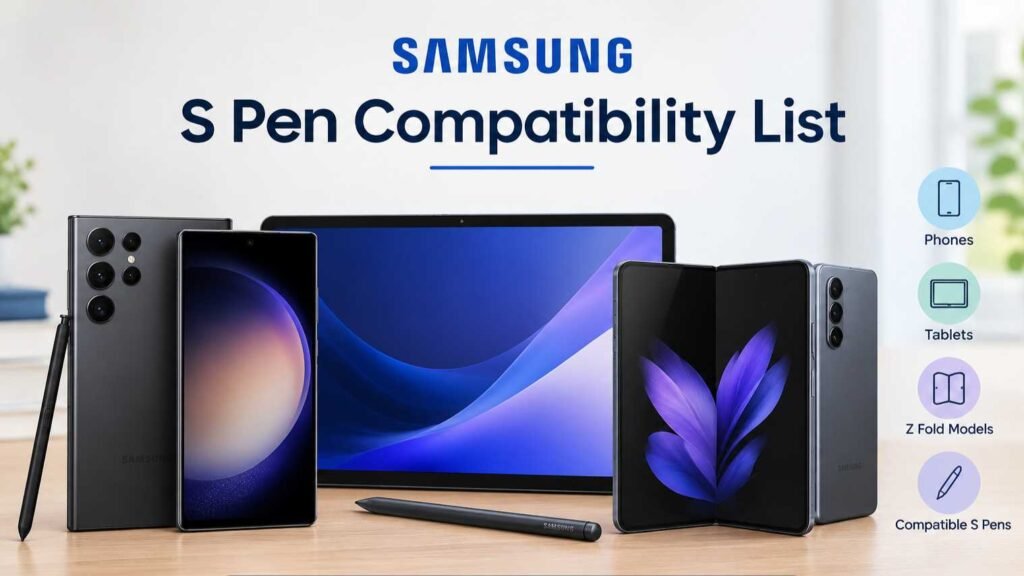
Samsung S Pen Compatibility: Supported Devices and Features
The Samsung S Pen has become one of the most recognizable accessories in the Android smartphone and tablet market. What started as a simple stylus for taking notes has developed into a versatile tool for writing, drawing, editing documents, navigating applications, and performing a variety of creative tasks.
However, one of the most common questions among Samsung users is whether the S Pen works with their particular device. Not every Samsung smartphone or tablet supports an S Pen, and even among compatible devices, features can vary. Some S Pen models support Bluetooth functions, while others are designed primarily for writing and drawing without requiring a wireless connection.
Understanding Samsung S Pen compatibility is therefore important before buying a replacement stylus or upgrading to a new Galaxy device. This guide explains how S Pen compatibility works, which types of Samsung devices support it, what features are available, and what users should consider before purchasing an S Pen.
What Is the Samsung S Pen?
The Samsung S Pen is a digital stylus designed for selected Galaxy smartphones and tablets. It allows users to interact with the touchscreen using a precision pen instead of their fingers.
The S Pen can be used for writing notes, drawing, highlighting text, signing documents, editing photographs, navigating the interface, and performing other tasks that require accurate touch input.
Depending on the device and S Pen model, additional features may include pressure sensitivity, hover detection, handwriting recognition, remote controls, gestures, and Bluetooth connectivity.
The exact capabilities depend on both the S Pen and the Samsung device being used. This is why compatibility should always be checked before purchasing a stylus.
How Does S Pen Compatibility Work?
Samsung does not use one universal S Pen that works identically across every Galaxy device.
Different generations of smartphones and tablets can use different S Pen technologies. Some devices include a built-in digitizer specifically designed to recognize an S Pen, while others do not support stylus input at all.
The physical design of the pen can also vary. A stylus designed for a Galaxy phone may have different dimensions or features compared with one intended for a Galaxy tablet.
There is also an important difference between basic pen input and advanced S Pen features. A compatible S Pen may allow writing and drawing, but Bluetooth-dependent functions may require a particular S Pen and compatible device.
Therefore, compatibility should be considered at three levels: whether the device supports S Pen input, whether the specific pen is physically and electronically compatible, and whether advanced features are supported.
Samsung Galaxy S Ultra Series
Samsung’s Galaxy S Ultra smartphones have been among the company’s main S Pen-compatible phones.
The S Pen is integrated into the design of many Ultra models, allowing users to store the stylus directly inside the smartphone.
This built-in approach makes the S Pen particularly convenient because users do not have to carry a separate pen case or worry about storing the accessory.
The Ultra series S Pen can be used for handwriting, drawing, screen interaction, note-taking, and other precision tasks.
Depending on the generation, available features can differ. Users considering an S Pen replacement should therefore make sure the replacement is intended for their specific Galaxy S Ultra model.
The integrated S Pen is one of the features that differentiates the Ultra models from many other smartphones in the Galaxy S family.
Samsung Galaxy Note Series
The Galaxy Note series played a major role in establishing the S Pen as an important part of Samsung’s smartphone lineup.
Galaxy Note devices were specifically designed around the idea of combining a large smartphone with a built-in digital pen. The S Pen could be stored inside the phone and used for writing, drawing, productivity, and other functions.
Older Note devices introduced different generations of S Pen technology, so compatibility between generations is not always identical.
Users who still own a Galaxy Note device should check the exact model before buying a replacement S Pen. Factors such as Bluetooth functionality, button features, pressure sensitivity, and physical fit can differ.
Although the Note branding has largely been replaced by the Ultra series approach, its influence on Samsung’s S Pen ecosystem remains significant.
Samsung Galaxy Z Fold Series
The Galaxy Z Fold lineup has also received S Pen support on selected generations.
The large internal display of a foldable phone makes stylus functionality particularly useful. The expanded screen can provide more space for handwriting, drawing, document editing, and multitasking.
However, S Pen compatibility with Galaxy Z Fold devices is more specific than with many Ultra phones. Not every S Pen works with every Fold model.
Some Fold-compatible S Pens are designed specifically to work with the foldable display and include specialized tips or protection features.
This means users should not assume that an S Pen designed for a Galaxy S Ultra or Galaxy Note will automatically be appropriate for a Galaxy Z Fold device.
Samsung Galaxy Tab Series
Samsung’s Galaxy Tab lineup includes many devices with S Pen support.
S Pen functionality can be especially useful on tablets because the larger display provides more room for handwriting, illustration, note-taking, and professional work.
Galaxy Tab S-series tablets are particularly associated with S Pen functionality. Depending on the specific model, an S Pen may be included with the tablet or available as an accessory.
Tablet S Pens can differ from smartphone S Pens in size and design. A larger pen may feel more comfortable during extended writing or drawing sessions.
The large display also makes the S Pen useful for creative applications. Artists can use it for digital illustrations, while students can use it for handwritten notes and annotations.
Professionals can use it for presentations, documents, diagrams, and other productivity tasks.
S Pen Features
The S Pen is more than a simple touchscreen stylus. Depending on the model, it can offer several advanced functions.
Handwriting
One of the most basic and useful S Pen features is handwriting.
Users can write directly on the screen and convert handwritten information into digital text in supported applications.
This can be convenient for quickly recording ideas, creating lists, taking meeting notes, or writing reminders.
Drawing
The S Pen can provide a more precise drawing experience than using a finger.
Pressure sensitivity on supported devices can allow users to create thinner or thicker strokes depending on how firmly they press the pen against the screen.
This can make the S Pen useful for digital art, sketches, diagrams, and annotations.
Screen Off Memo
Selected Galaxy devices support screen-off note-taking. This allows users to quickly write notes without fully opening the phone or launching a traditional note application.
This feature can be particularly useful when users need to record information quickly.
Availability can vary by device generation and software version.
Air Actions
Some S Pen models support Air Actions. These allow users to perform certain actions through gestures or button presses without directly touching the display.
For example, supported applications may allow the S Pen to control presentations, camera functions, media playback, or other features.
Air Actions require compatible hardware and software, so they are not available with every S Pen.
Hover Features
The S Pen can sometimes detect when the pen is hovering above the screen.
Hover functionality can provide previews, tooltips, selection options, and other interface features.
This can be useful when working with small interface elements or previewing information without directly touching the display.
S Pen Bluetooth Compatibility
One of the most important differences between S Pen models is Bluetooth functionality.
Some S Pens include Bluetooth hardware that allows them to communicate with the device wirelessly. This enables additional features such as remote camera control and Air Actions.
Other S Pens are designed mainly for direct screen interaction and do not require Bluetooth.
This distinction is important because a replacement S Pen may still allow writing and drawing even if it does not support the same remote functions as the original pen.
Users should therefore identify whether they need basic stylus input or advanced wireless features before purchasing a replacement.
Does Every S Pen Work With Every Galaxy Device?
No. This is one of the most important points to understand.
Samsung produces multiple S Pen versions for different devices. Compatibility depends on the technology used by the device, the design of the pen, and supported software features.
An S Pen from one Galaxy family may physically resemble another but still not provide the same functionality.
For example, an S Pen designed for a foldable device may be different from one intended for a Galaxy Ultra smartphone.
Likewise, tablet S Pens can have different physical dimensions and capabilities compared with smartphone versions.
Before buying an S Pen separately, users should check the exact Galaxy model and the recommended S Pen for that device.
S Pen and Galaxy Tablets
Galaxy tablets can provide one of the most useful S Pen experiences because of their larger displays.
Writing on a large screen can feel more natural than writing on a smartphone. There is more room for diagrams, handwritten notes, sketches, and document annotations.
Students can use the S Pen for digital notebooks and study materials. Professionals can use it to mark documents or create diagrams. Artists can take advantage of the larger canvas for drawing and illustration.
Some Galaxy Tab models also support advanced features that make the S Pen useful beyond simple writing.
However, not every Galaxy Tab model has identical S Pen support. Buyers should check the exact tablet model before purchasing a separate stylus.
S Pen for Students
The S Pen can be particularly useful for students.
Digital handwriting can provide an alternative to traditional notebooks while keeping notes organized on a single device.
Students can highlight textbooks, annotate PDFs, create handwritten summaries, draw diagrams, and organize class notes.
On compatible tablets, the larger display provides enough space for multiple pages of notes and detailed diagrams.
The ability to search and organize digital notes can also make information easier to manage than large collections of physical notebooks.
S Pen for Artists
Digital artists can use the S Pen to create illustrations, sketches, and designs.
Pressure sensitivity can help reproduce some of the control associated with traditional drawing tools. Different applications can provide brushes, pencils, pens, markers, and other digital tools.
A large Galaxy tablet combined with an S Pen can provide a portable creative workstation.
The experience will depend on the particular application, display size, pen technology, and pressure sensitivity supported by the device.
S Pen for Professionals
Professionals can use the S Pen for many productivity tasks.
It can be useful for signing documents, making quick notes, marking presentations, editing PDFs, creating diagrams, and interacting with applications.
The pen can also provide more precision than a finger when working with spreadsheets, documents, or small interface elements.
For people who frequently attend meetings or travel for work, having a digital pen integrated into a smartphone or tablet can reduce the need to carry additional stationery.
How to Check Your S Pen Compatibility
Before purchasing an S Pen, follow a few basic steps.
First, identify the exact model of your Samsung smartphone or tablet. The model name alone may not be enough because different generations can have different S Pen requirements.
Next, check whether the device supports S Pen input.
After that, determine which S Pen is officially designed for the device.
Finally, check whether you need advanced features such as Bluetooth, Air Actions, remote camera control, or pressure sensitivity.
This approach can help prevent buying a stylus that physically looks compatible but does not support the desired functions.
Common S Pen Compatibility Mistakes
One common mistake is assuming that every Samsung phone supports an S Pen. Most Galaxy smartphones do not have the required digitizer technology.
Another mistake is assuming that every S Pen provides Bluetooth functions. Some models are designed only for writing and drawing.
Users can also overlook the difference between foldable-device S Pens and standard S Pens.
Another common issue is buying a pen based only on appearance. Two S Pens may look similar while having different compatibility requirements.
Checking the exact device model and recommended stylus is therefore essential.
S Pen vs Traditional Stylus
A traditional capacitive stylus generally works like a finger and can be used with many touchscreen devices.
The S Pen is different because compatible Samsung devices have specialized hardware that can detect the pen with greater precision.
This enables features such as pressure sensitivity, hover detection, handwriting recognition, and other advanced functions.
The result is a more detailed interaction experience, especially for writing and drawing.
However, the specialized technology also means that S Pen compatibility is more limited than that of a basic capacitive stylus.
Is the S Pen Worth Using?
For users with a compatible Samsung device, the S Pen can be a valuable tool.
People who regularly write notes, draw, annotate documents, edit photographs, or use productivity applications may benefit significantly from its precision.
Casual smartphone users who mainly browse social media, make calls, watch videos, and send messages may not use the stylus as frequently.
The value therefore depends largely on personal usage.
An S Pen can be particularly useful when combined with a large Galaxy tablet or an Ultra smartphone where precise input and productivity features have greater practical value.
Final Thoughts
Samsung’s S Pen ecosystem provides a wide range of features for compatible Galaxy smartphones and tablets. From simple handwriting and drawing to advanced functions such as hover interaction, pressure sensitivity, and Bluetooth-based controls, the S Pen can transform a compatible Galaxy device into a more versatile productivity and creative tool.
However, compatibility is not universal. Galaxy Note devices, selected Galaxy S Ultra models, compatible Galaxy Z Fold devices, and supported Galaxy Tab models can offer S Pen functionality, but each device family may require a specific S Pen or provide a different set of features.
Before purchasing an S Pen, users should always identify their exact Samsung device and determine which stylus is designed for it. They should also consider whether they need only writing and drawing or advanced features such as Air Actions and Bluetooth controls.
For students, artists, professionals, and anyone who enjoys handwriting or precise touchscreen control, the S Pen can provide a significantly different experience from ordinary touch input. With the right compatible device and stylus combination, it can become a useful everyday tool for notes, creativity, productivity, and navigation.